This is an entertainment effect. It is a fun "what if" for clips, streams, and group chats. It is not a statement about anyone's identity, and it does not predict what a real person would look like after any kind of transition. Use it on yourself, or on someone who has clearly said yes.
If you just want to try one, LiveGen's live gender swap filter runs in a browser tab. The rest of this article explains how the effect works, what "free" usually means, and where it still breaks.
Key takeaways: gender swap filters in plain terms
- Older gender filters were overlays drawn on top of your real face. Generative tools redraw the frame instead.
- Photo tools return one still image. Live video tools keep generating while you move, which is harder and looks different.
- "Free" almost always means free to try: a watermark on exports, metered usage, or both.
- The best results come from even front lighting, a clean hairline, and slow head movement.
- It is a camera effect for fun. Use it on yourself or with consent.
How generative gender swap differs from sticker filters, and why live beats batch
The first wave of gender filters on social apps worked like stickers. The app found landmarks on your face, then drew graphics anchored to those points: longer lashes, a beard texture, maybe a warp to widen or narrow the jaw. Your actual pixels were still underneath. That is why those filters slid off when you turned your head and never changed your hair in a believable way.
A generative gender swap does something different. The model takes your frame as input and produces a new frame that keeps your pose, expression, and gaze, but renders a different-looking person: different facial structure, skin texture, hair, and sometimes clothing, all lit to match the scene. Nothing is pasted on, so there is no sticker to slide off.
How that redrawing is delivered matters just as much. There are two approaches:
- ✓Batch, frame by frame. You upload a photo or clip. A server processes every frame offline and hands back a finished file a few minutes later. Any change means waiting for a full new render.
- ✓Live generation. Your camera streams to a remote engine, which generates transformed frames continuously and streams them back while you are still moving. You see the result as it happens, so you can fix the light or switch presets and watch the change immediately.
LiveGen works the second way. Your camera feed goes to LiveGen's real-time engine over WebRTC, and the transformed video comes back to the same browser tab. There is nothing to install and no GPU needed on your side. The honest trade-off: live generation favors responsiveness over per-frame polish. Fine detail such as small text on a shirt, individual fingers, or very fast motion can look softer than it would in a slow offline render of the same shot. The glossary entry on real-time generative video covers this distinction in more depth.
Photo-based gender swap vs live video tools
Most results for "gender swap online" are photo tools. You upload a selfie, wait, and get one still back. A single frame can be rendered slowly and carefully, so skin and hair detail tend to be crisp. The limit is that it is one pose and one expression. You cannot see yourself laugh, talk, or react as that version of you.
Live video tools answer a different question: what does this look like while I am moving? The expressions are yours, which is why the effect feels surprising. It is also harder, since the model has to keep the same generated face consistent from one moment to the next instead of nailing one frame.
For a profile picture or a single meme image, a photo tool is enough. For a reaction clip, a bit for a group call, or a moment on stream, you need live video.
Steps to a convincing gender swap in LiveGen Studio
In LiveGen there is no single "gender" button. The effect comes from presets in two modes. Live Morph makes you appear as a character from one reference image, with your expressions and movement driving it. Style Morph restyles the whole frame, you and the room together, which suits stylized looks such as anime or painted versions.
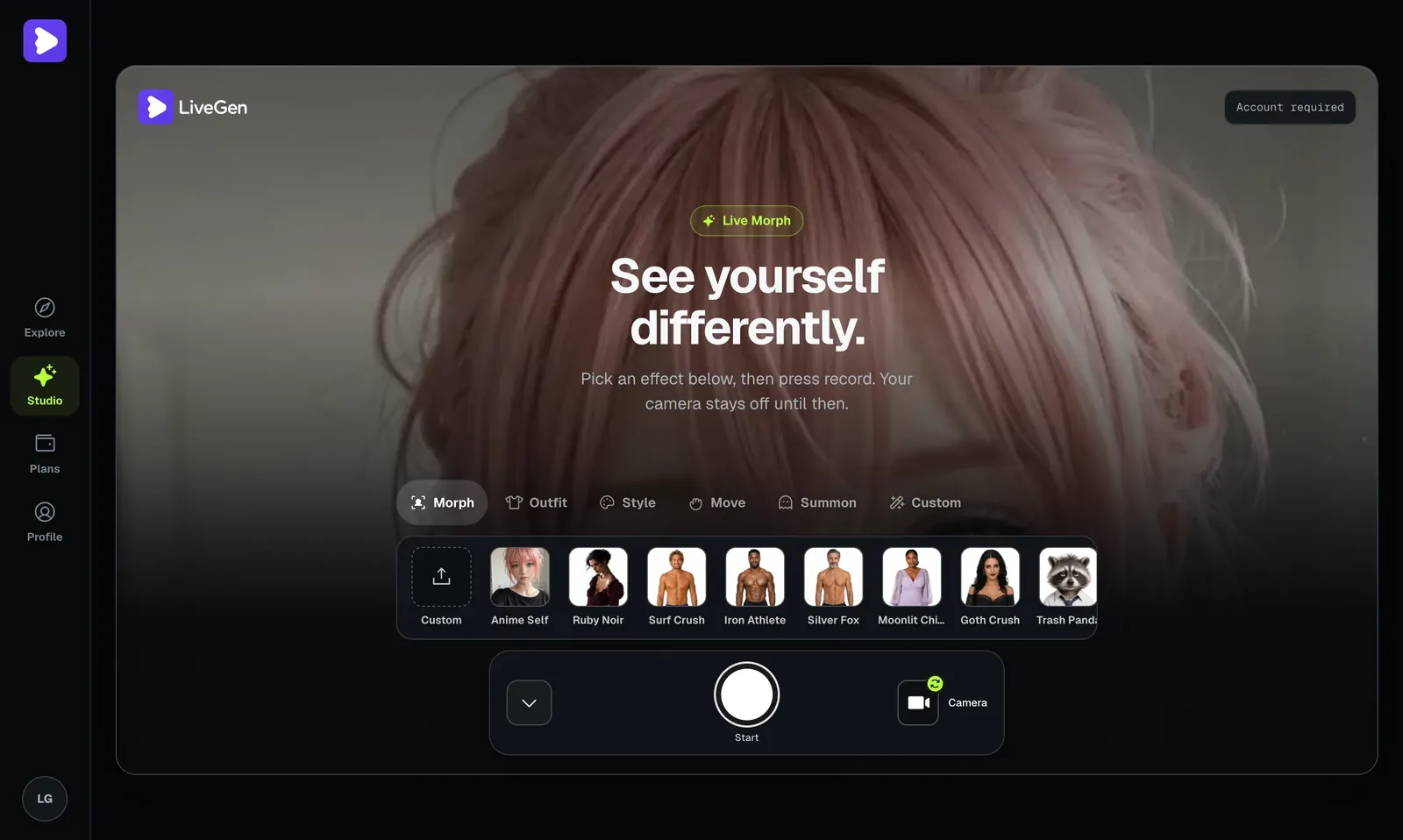
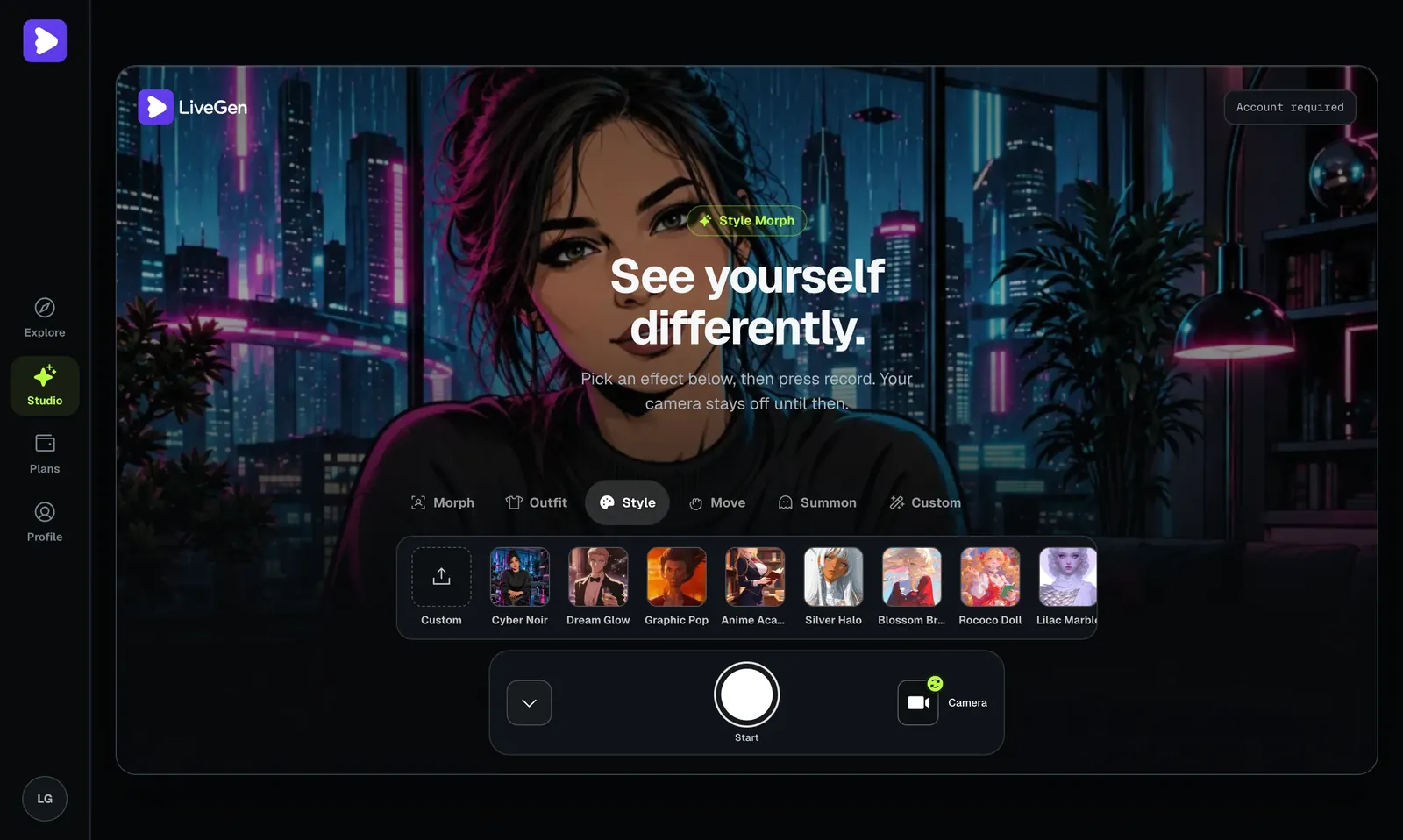
If a preset fights your features, switch presets instead of forcing it. With live generation a change costs you seconds, not a new render.
What "free" means for an online gender swap
Searches for "ai gender swap online free" usually end at one of three arrangements.
- ✓Watermarked exports. You can use the tool, but saved images or clips carry a logo until you pay.
- ✓Metered usage. You get a limited allowance (images per day, seconds of video, or credits) and buy more when it runs out.
- ✓Ad-supported or upsell-first. The swap is free, but resolution is capped or queues are slow.
LiveGen is free to try and metered. Live generation is billed in credits, at one credit per second of live video, because every second on camera is a second of real-time compute. Free exports carry a watermark. Paid plans remove the watermark and add HD. Current plans are on the pricing page.
Per-second metering rewards preparation: set up lighting and framing before you press Start, and keep takes short. Also check the rules of any tool you use. On LiveGen, uploads are moderated and a Content Policy applies. Reference images of real people require their consent.
Where AI gender swap still breaks: hair, jawlines, glasses, and beards
No tool in this category is flawless, and the failures are predictable.
- ✓Hair and jawline edges. The boundary between generated hair and your real background is the most common giveaway. Loose strands, a cluttered background, or backlighting make it shimmer, and long generated hair over a short real haircut can flicker around the neck.
- ✓Glasses. Frames may be dropped, redrawn in a different shape, or appear and disappear as you turn. Take them off for the cleanest result if you can.
- ✓Beards. A full beard is a lot of texture for the model to replace. Going from bearded to clean-shaven can leave a shadow or a softened chin.
- ✓Fast head turns. Quick motion and profile angles give the engine less face to work from. The look can wobble for a moment before it settles.
- ✓Lighting. Dim rooms, strong side light, and colored LEDs all reduce consistency.
- ✓Hands and fine detail. A hand or mug crossing the jaw can smear briefly, and small text, jewelry, and fabric prints look softer than in an offline render.
- ✓No audio change. The effect is visual only. Your voice is not altered, and no audio is generated.
One limit is not technical. The result is a stylized guess shaped by a preset or a reference image. It carries no information about who anyone is or would be. Treat it like a costume, and do not use it to mock anyone.