That distinction decides what you can do with the filter. A photo filter gives you a profile picture. A live filter gives you something you can perform in: a clip, a call, or a stream. If you are shopping for a specific tool, the roundup of the best AI anime filter apps compares options. This piece is the explainer behind it.
Key takeaways: live anime filters at a glance
- Photo anime filters render one still. Live anime filters generate video as a continuous stream while the camera is running.
- There are two live approaches: restyle the whole frame (Style Morph) or appear as a specific anime character (Live Morph).
- Frame-to-frame consistency is the hard problem, and it is where weaker filters flicker.
- Flat, even lighting and a simple background do more for an anime look than any setting.
- Live generation trades some per-frame polish for responsiveness.
Photo anime filters vs live generation: what real-time actually means
Most anime filters people have used are photo filters. You pick a selfie, a server works on it, and an illustrated portrait comes back. Video versions of the same idea are batch jobs: you upload a clip, the server restyles every frame offline, and you download a finished file later. If the result is wrong, you adjust and wait for a whole new render.
A real-time anime filter removes the wait by never producing a file in the first place. Frames are generated as a stream while the input is still happening. In LiveGen, your camera feed travels to LiveGen's real-time engine over WebRTC, and the anime version streams back into the same browser tab while you are still moving. If the light is bad, you turn toward the window and watch the line work clean up on the spot. Because generation happens remotely, there is nothing to install and no GPU needed on your side.
The trade-off: live generation favors responsiveness over per-frame polish. A slow offline render can spend a long time on each frame. A live stream cannot, so fine detail such as text on a poster, small prints on clothing, individual fingers, and very fast motion can look softer. For performance and reaction content that is usually a good trade. For a single perfect illustration, a photo tool such as a photo to anime converter is the better fit.
Whole-frame Style Morph vs character Live Morph for anime looks
"Anime filter" covers two different effects.
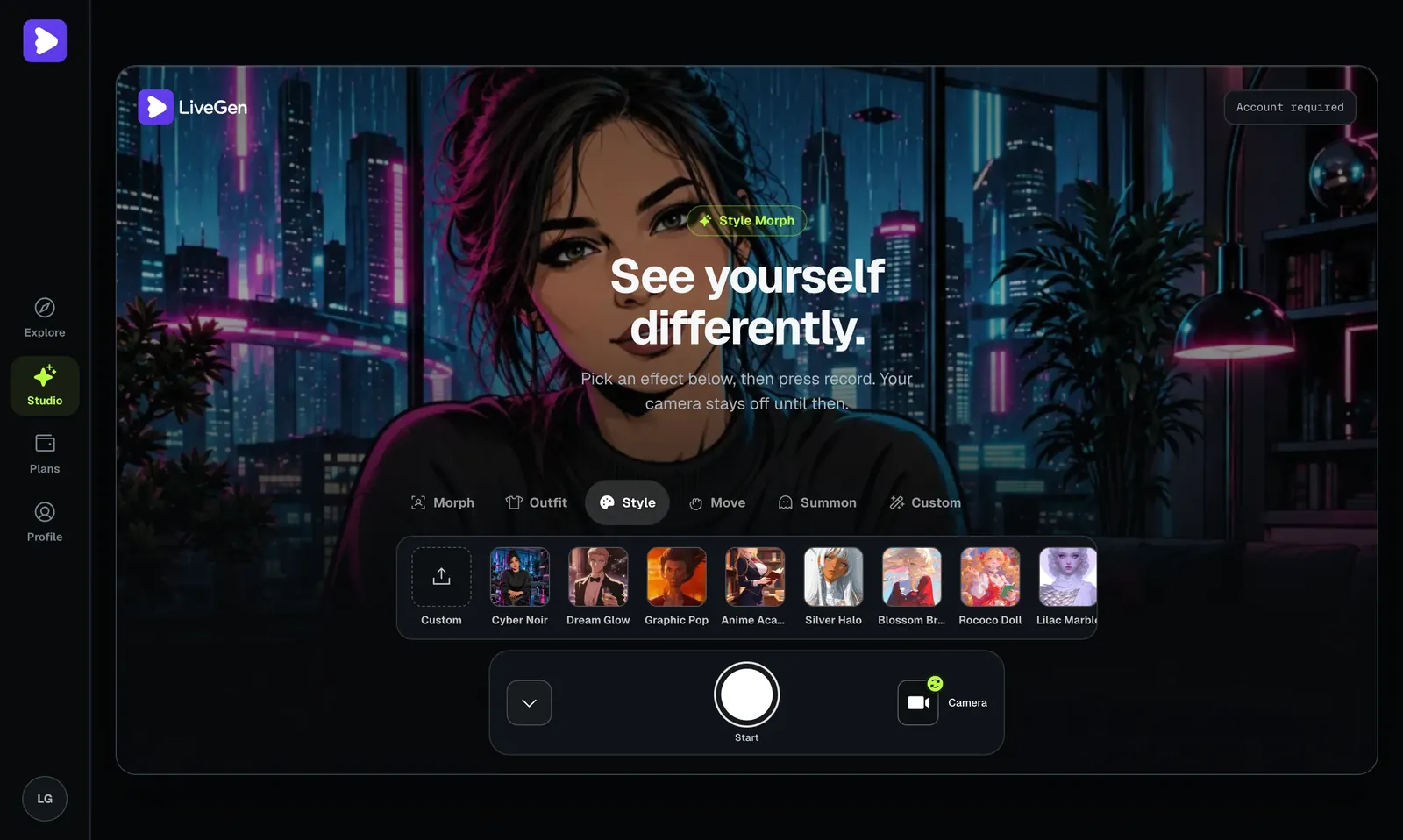
Style Morph restyles the entire frame. You, your desk, the wall behind you, and the lamp in the corner are all redrawn in the chosen style. You still look like you, only illustrated. It is the usual choice for an anime filter on a webcam because the scene stays coherent: no seam between a drawn person and a photographic room.
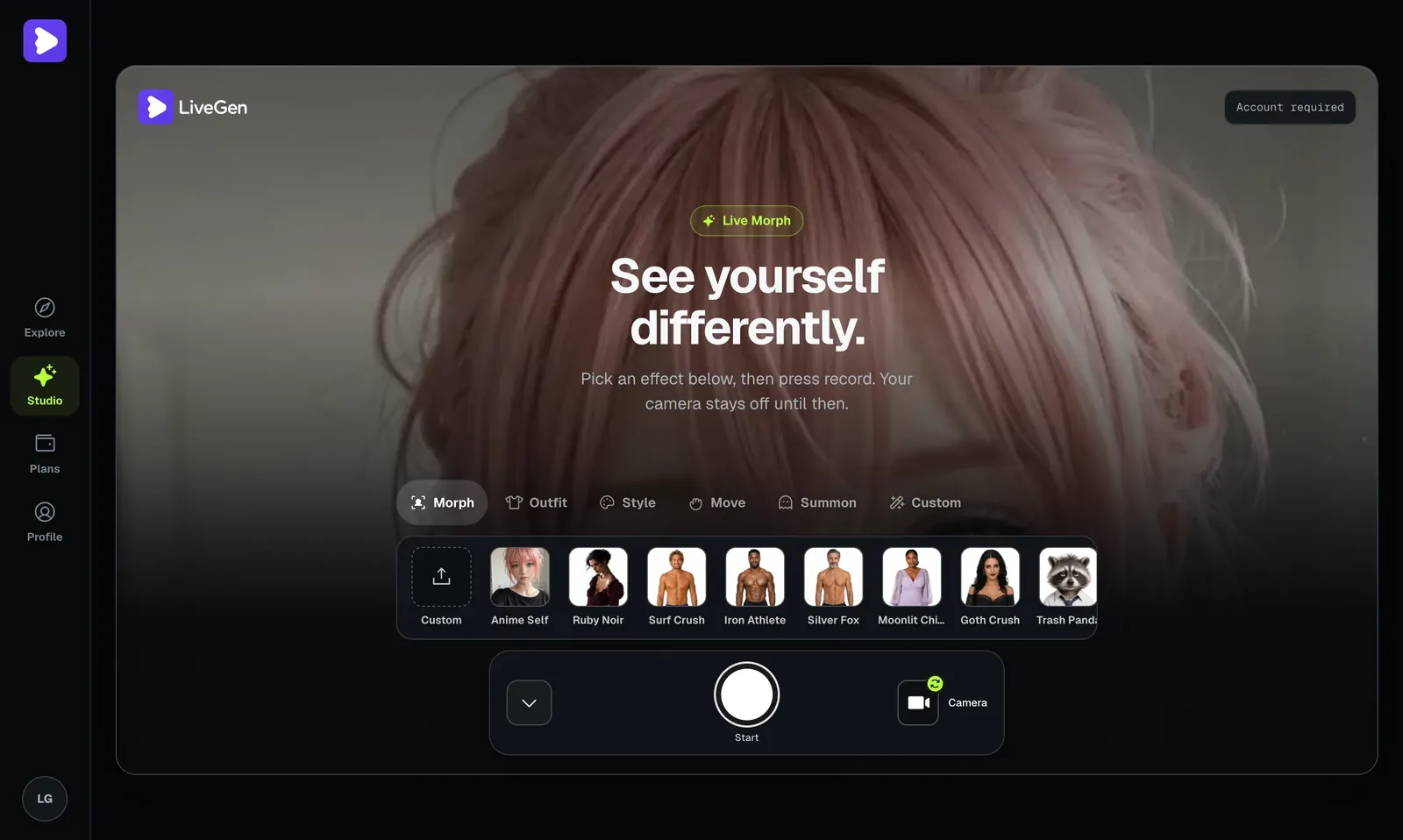
Live Morph makes you a specific character. You supply one reference image (or pick a preset), and you appear as that character, with your expressions, gaze, and movement driving it. This suits VTuber-style content, original characters, and cosplay without the costume.
In short: for "me, but drawn", use Style Morph. For "me as this character", use Live Morph. For your own art direction, Freestyle takes your own prompt plus a reference image.
Why style consistency across frames is the hard part
Drawing one convincing anime frame is the easy part. Drawing the next one so that it matches is harder, and that gap is why some video anime filters look like they are boiling.
Think about what an illustrator decides once and then holds fixed: your hair is this exact shade, the eyes are this shape, shadows are two flat tones, the line weight is thin. A model generating frames independently makes those decisions again every frame. If it chooses slightly differently each time, hair color pulses, eye shape wobbles, and outlines shimmer. Each still looks fine. The motion looks wrong.
A real-time system has to hold those decisions steady while also reacting to new input immediately. That tension explains most of what you will see in practice:
- ✓Slow movement looks the most stable. Each moment closely resembles the last.
- ✓Sudden changes cause a brief wobble. A fast turn or a light switching on changes the input sharply, and the style can take a moment to settle.
- ✓Busy backgrounds crawl more than plain ones. Bookshelves and patterned wallpaper contain small detail that can be redrawn differently over time.
- ✓Character identity is a consistency problem too. With Live Morph, a clear reference image holds together better than a vague or heavily cropped one.
When you test any live anime filter, ignore the first impressive still and watch a few seconds of ordinary movement. Flicker in hair, eyes, and background tells you how well it handles consistency.
Steps to a clean anime look: lighting, background, and Studio setup
Anime styles are built on clear shapes and flat shading, so the input that works best is a clean, evenly lit, uncluttered shot. In LiveGen the camera stays off until you press Start, so preparation costs nothing.
Using a live anime filter for clips or a stream
For short clips, plan one clear beat (a reaction, a reveal, a line to camera), record a few short takes, and keep the best one. With no render queue, a retake costs seconds. No audio is generated, so add your voice or music in an editor.
For a live anime filter for streaming, the route is simple: the anime feed plays in a normal browser tab, and your streaming software can capture that tab with a window capture or browser source. There is no plugin to install. Keep the tab visible while you are live, use a stable connection, and lock your lighting before you go on air.
LiveGen is free to try, and live generation is metered in credits at one credit per second of live video. Free exports carry a watermark, and paid plans remove it and add HD. A long stream uses far more credits than a handful of clips, so check pricing before planning a regular show.
Where real-time anime filters still fall short
- ✓Hands and fingers. Fast gestures and hands near the face can smear or merge.
- ✓Text and small prints. Posters, book spines, shirt logos, and on-screen text usually come out as illegible squiggles.
- ✓Fast motion. Dancing, quick head turns, and objects thrown through frame can cause a moment of flicker while the style resettles.
- ✓Low or mixed light. Dim rooms and colored LEDs reduce stability and muddy the flat shading anime depends on.
- ✓Exact likeness of a character. Live Morph follows one reference image. Small costume details and accessories may simplify or drift.
- ✓Multiple people. Solo framing is the most reliable.
- ✓No sound. The filter is visual only. No audio is generated and your voice is unchanged.
- ✓Content rules. Uploads are moderated and a Content Policy applies. Reference images of real people require their consent.
Most of these are the same trade: a live system spends its effort on keeping up with you, so it has less to spend on tiny detail.